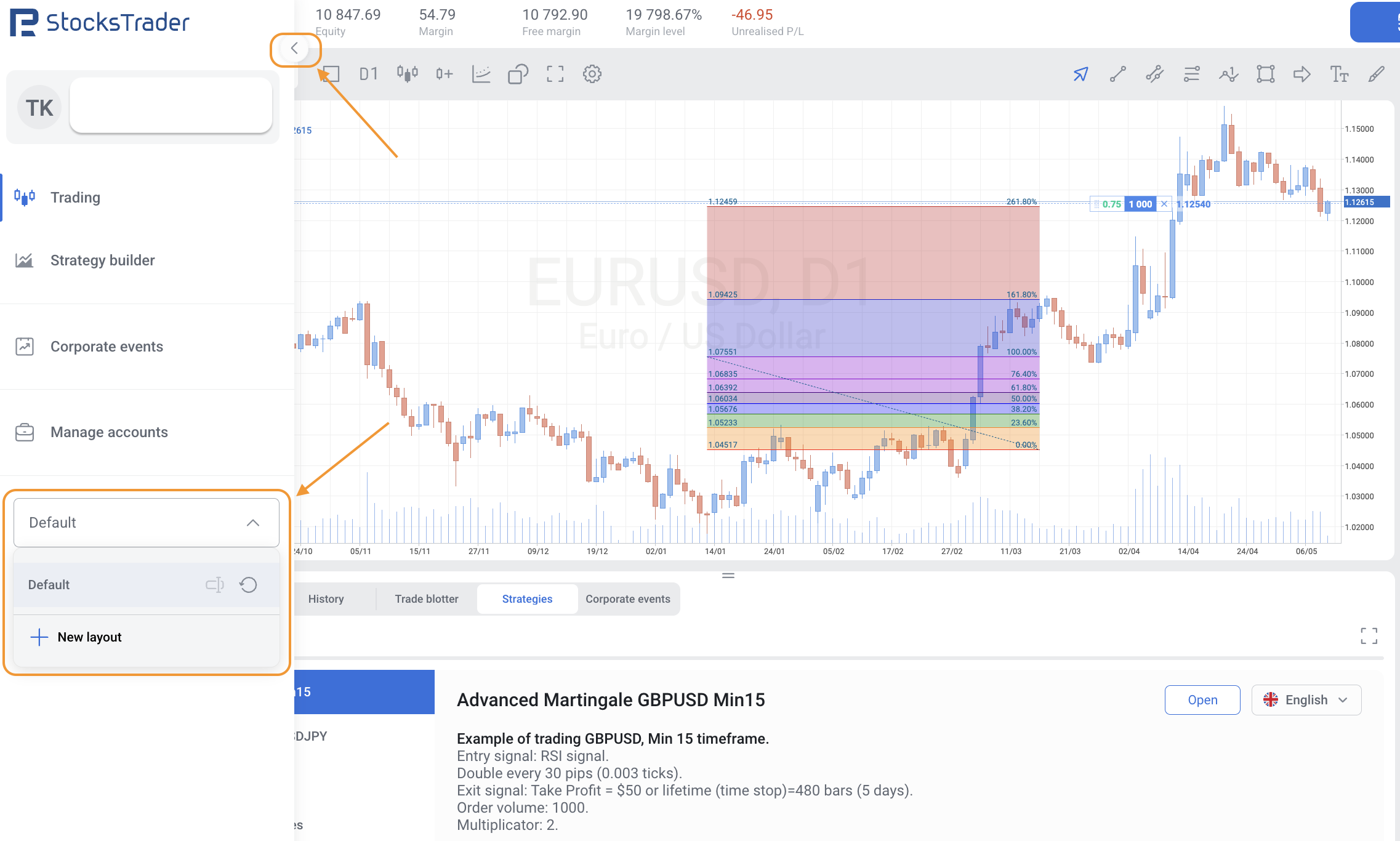
To save your custom Fibonacci levels and colors in StocksTrader, you can follow these steps:
1. Open the side menu on the left (by clicking on the small arrow near the company's logo).
2. Find the drop-down menu, click on it and select "New layout". You can rename the layout as you wish.
3. Adjust the chart to your liking (for example, set Fibonacci levels, colors, indicators). Your new layout with saved chart settings will be available in the menu for future use.
Automatic settings for all new charts are not available, but this way you can quickly select the chart with your favorite settings.